
In sales, the handshake is the easy part. The hard part is converting a quick conversation into a clean, usable contact record and ensuring that your follow-up occurs before the momentum dissipates.
That’s what digital business cards for sales teams are built to fix: they make sharing instant, keep contact info current, and (when implemented correctly) turn every scan or tap into a traceable lead that can flow into your CRM and outreach workflow.
What is a digital business card?
A digital business card is a shareable profile (usually a mobile-first landing page) that contains your essential contact fields plus conversion elements, like a meeting link, product deck, and lead capture form.
Sales teams typically share a digital business card in four ways:
- QR code (camera scan)
- NFC tap (phone-to-card or phone-to-tag)
- Link (text/email/DM)
- Wallet pass shortcut (so it’s always ready during events)
Why sales teams should switch
Faster lead capture with less admin work
Paper cards create delayed data entry (and lost leads). A digital card can capture the prospect’s details immediately, while context is fresh.
Always up to date across the whole team
Territory changes, new titles, and phone numbers, as well as sales organizations, change constantly. Digital cards reduce reprints and prevent outdated contact details.
Better follow-up prioritization
The best systems don’t just share info. They help you prioritize:
- “Who opened the card?”
- “Who clicked the meeting link?”
- “Who submitted their info?”
Even simple engagement analytics can help AEs focus on the warmest leads first.
Must-have features for digital business cards for sales teams
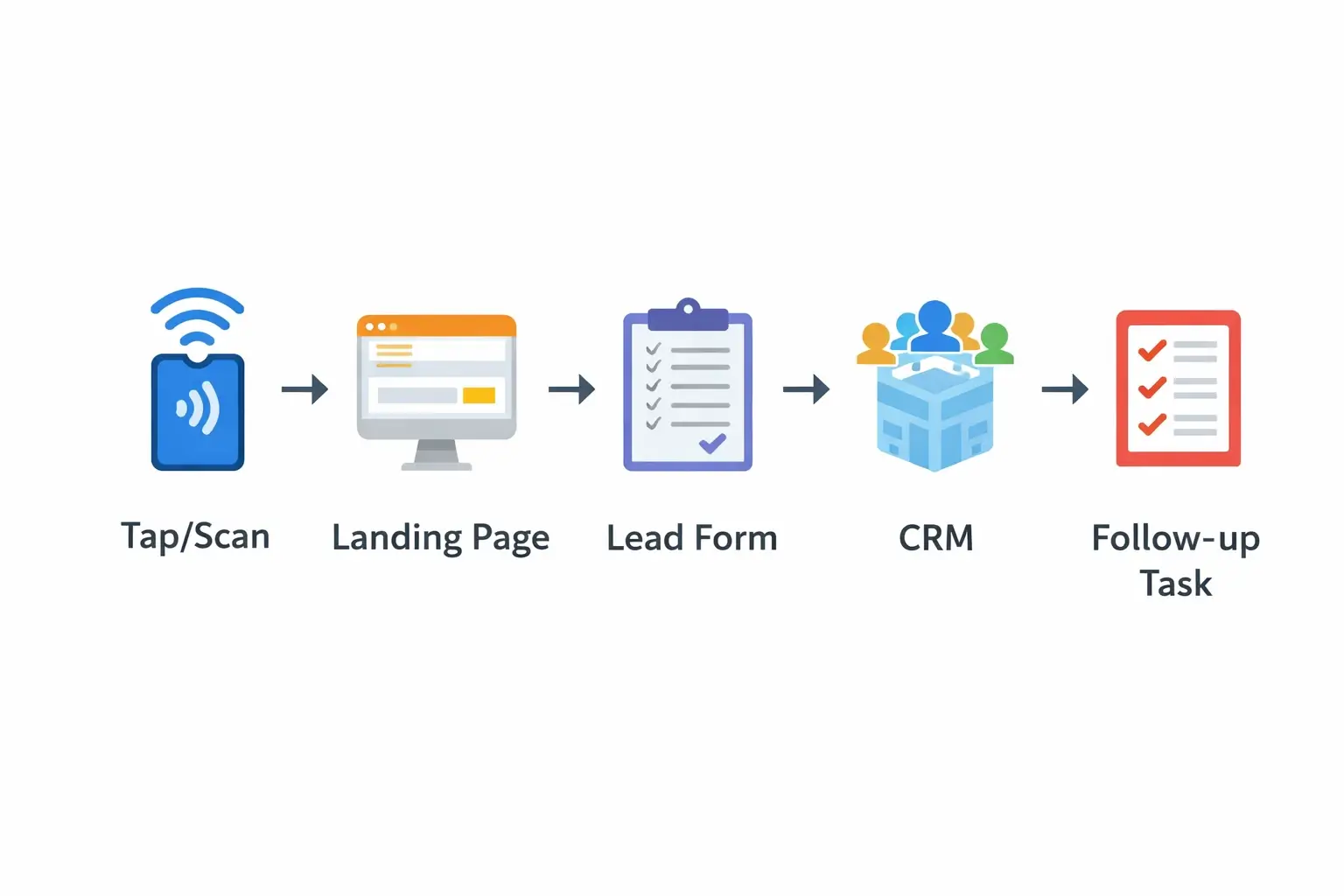
Lead capture form that prospects will actually complete
If you want lead capture, keep it frictionless:
- name
- company
- role (optional)
- a single qualifier question (optional)
Avoid long forms unless you’re gating high-intent assets.
CRM integration
Your digital business card program should answer: “Where does the lead go?”
Good CRM integration patterns:
- Create/update contact.
- Create lead/opportunity (when appropriate)
- Add source tags (e.g., “Event: RSA 2026”, “Outbound: SDR”, “Partner dinner”)
- Assign owner (round-robin or territory)
- Trigger follow-up task (SLA-based)
If you can’t integrate natively, use an automation layer (for example, webhook workflows).
NFC + QR support
Not everyone can tap reliably (device settings, older phones, or cases). The strongest field workflow supports both:
- NFC for speed
- QR for compatibility and backup
Team management and templates
For sales teams, individual customization is a risk:
- different messaging
- broken brand standards
- inconsistent CTAs
Look for:
- role-based templates (SDR vs AE vs CSM)
- locked brand elements (logo, approved CTAs)
- controlled fields (required/optional)
- simple provisioning (CSV import or directory sync)
Wallet compatibility
Wallet shortcuts reduce friction during events because reps can share without searching for an app. If you support wallet passes, document exactly how you handle updates and what happens when a rep changes teams.
How to roll out digital business cards to a sales team
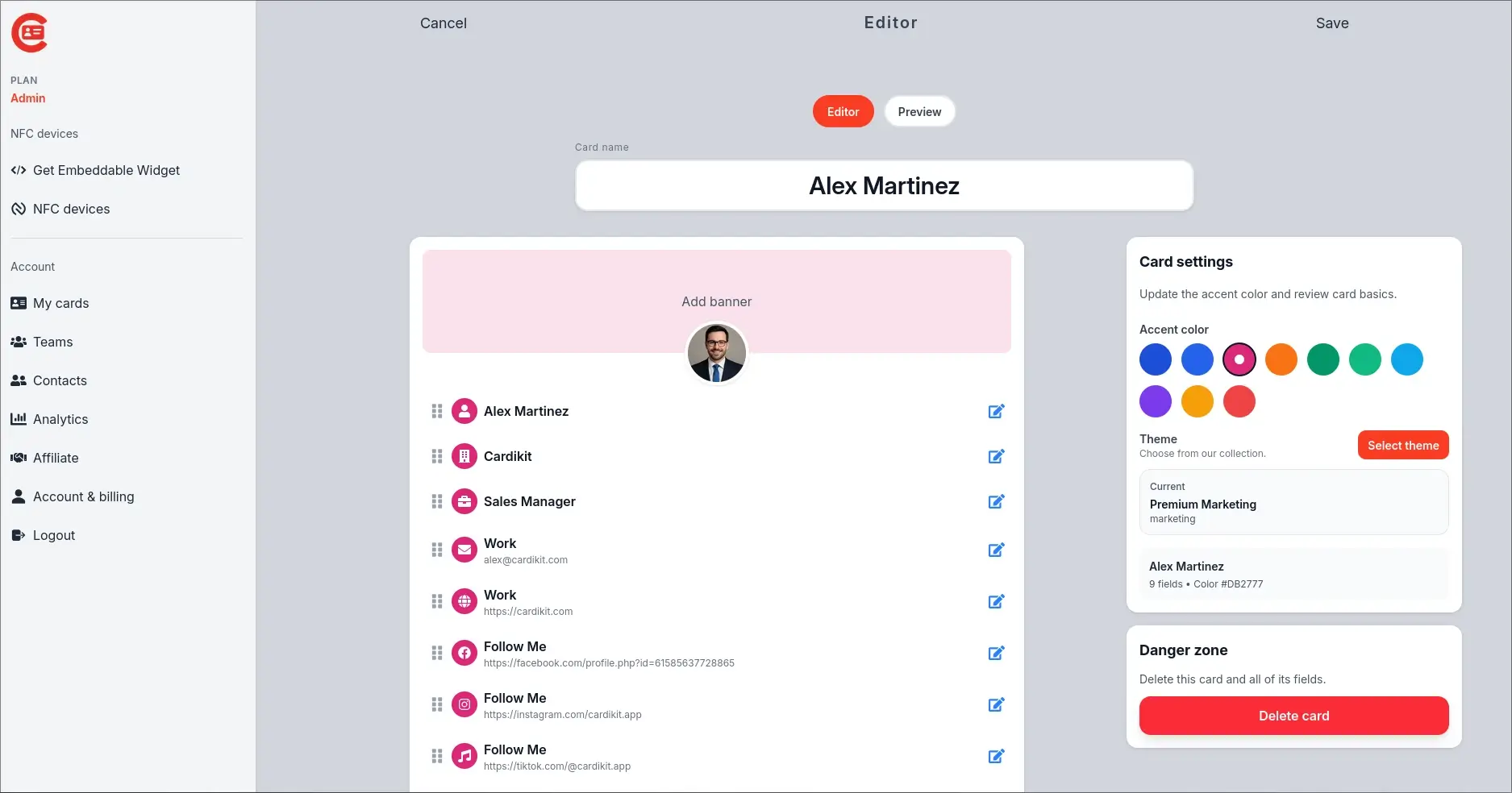
Step one: define your “sales card” standard
Create one standard per role:
- SDR card: “Book a discovery call” CTA
- AE card: “Request pricing” or “See product deck.”
- Partner rep: “Partner program overview” CTA
Step two: build your event workflow
Decide what happens after an event contact capture:
- auto-create CRM record
- Add event tag
- assign owner
- start a follow-up sequence
- notify Slack/Teams channel (optional)
Step three: train reps on the 10-second script
Example: “Want to scan this? It saves my details, and you can drop yours in too so I can send the follow-up.”
Step four: audit analytics weekly
At minimum, track:
- shares per rep
- conversion to captured leads
- meetings booked
- follow-up SLA compliance
CRM and automation workflows that convert
Trade show lead capture workflow
- Tap/scan
- Prospect sees a clean page with two actions:
-
- save rep contact
- Share their info back.
- CRM record created + tagged
- Follow-up sequence triggered automatically.
- Rep receives a task due within your SLA window.
Outbound workflow for SDRs
- SDR includes a card link in the email signature and LinkedIn message
- Prospect visits card
- Engagement event triggers:
-
- “warm lead” tag
- a task to call
- optional enrichment or routing
Security and compliance considerations
For sales teams, the biggest practical risks are:
- uncontrolled PII collection
- unclear retention policies
- unmanaged access when employees leave
Minimum checklist:
- role-based access controls for admins
- audit logs (for enterprise)
- documented retention rules
- easy deprovisioning for departed reps
- clear privacy policy and consent language on forms
Measuring ROI
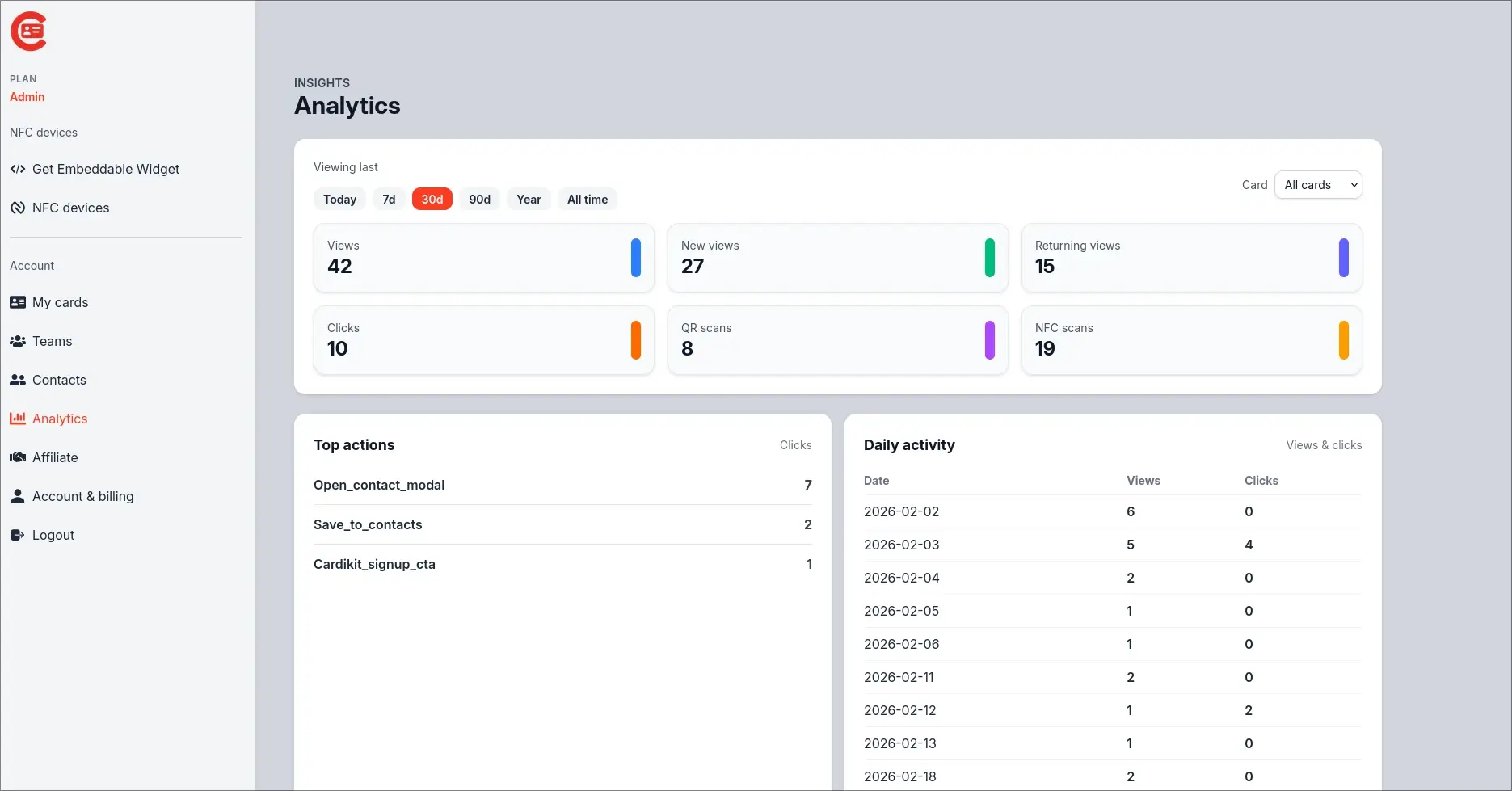
Don’t measure ROI with “cards created.” Measure it with outcomes:
- leads captured (per event, per rep, per channel)
- meetings booked from the card CTA
- pipeline influenced (tag-based attribution)
- time saved from reduced manual entry
- contact data quality (bounce rates, missing fields)
FAQ
Do prospects need an app?
A sales-friendly digital business card should open in a browser from a QR code or NFC tap and work without forcing an app download.
What’s better: NFC or QR?
Use both:
- NFC for speed
- QR for compatibility and easy sharing on screens and slides
How many cards should each rep have?
Usually 2–4:
- general networking
- trade show variant
- product-line variant
- recruiting/partner variant (if relevant)
Conclusion
Digital business cards for sales teams work best when they’re treated as a system:
- one tap/scan
- one clean conversion action
- one CRM record
- One triggered follow-up
Ready to upgrade your networking workflow? Get started here.