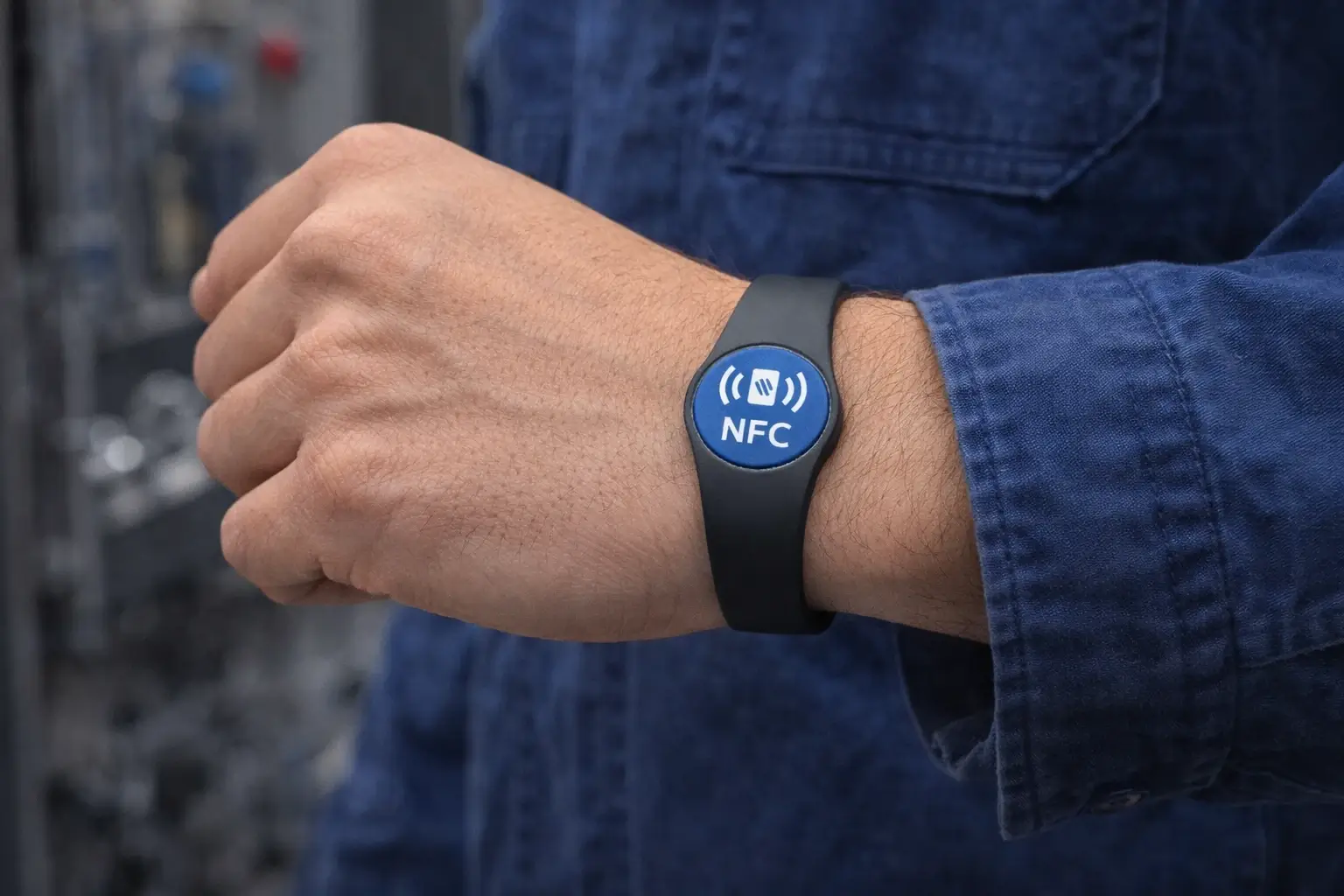
Field technicians meet customers where trust is earned fast: front doors, job sites, facilities, and maintenance rooms. In those moments, a paper business card is easy to lose, and it can’t verify identity, update contact details, collect reviews, or connect the customer to the right next step.
A digital business card for field technicians addresses that issue. It provides every technician with a single, always-updated “profile link” that can be shared via NFC tap, QR code, or text/email in seconds, allowing customers to save contact details, access service links, and confirm they’re dealing with the right person.
This guide explains how digital business cards work for technicians, what to include, which sharing method fits the field, and how field service managers can roll out cards to a whole team without chaos.
Why field technicians need digital business cards
Field technicians aren’t networking at conferences. They’re building credibility on-site and turning completed work into repeat business. A technician-focused digital card supports real field goals:
Build trust at the door and on the job site.
Customers want to know:
- Who is this person?
- Are they licensed or authorized?
- How do I contact the company if something changes?
A digital card can show a technician's headshot, role, license number (where applicable), dispatch line, and company verification links. It’s faster than “let me find a card,” and more credible than a handwritten number.
Reduce lost leads and missed follow-ups.
Field work creates “micro-leads” all day:
- An upsell opportunity that needs approval
- A neighbor asking for a quote
- A facility manager requesting another visit
- A customer wanting a maintenance plan
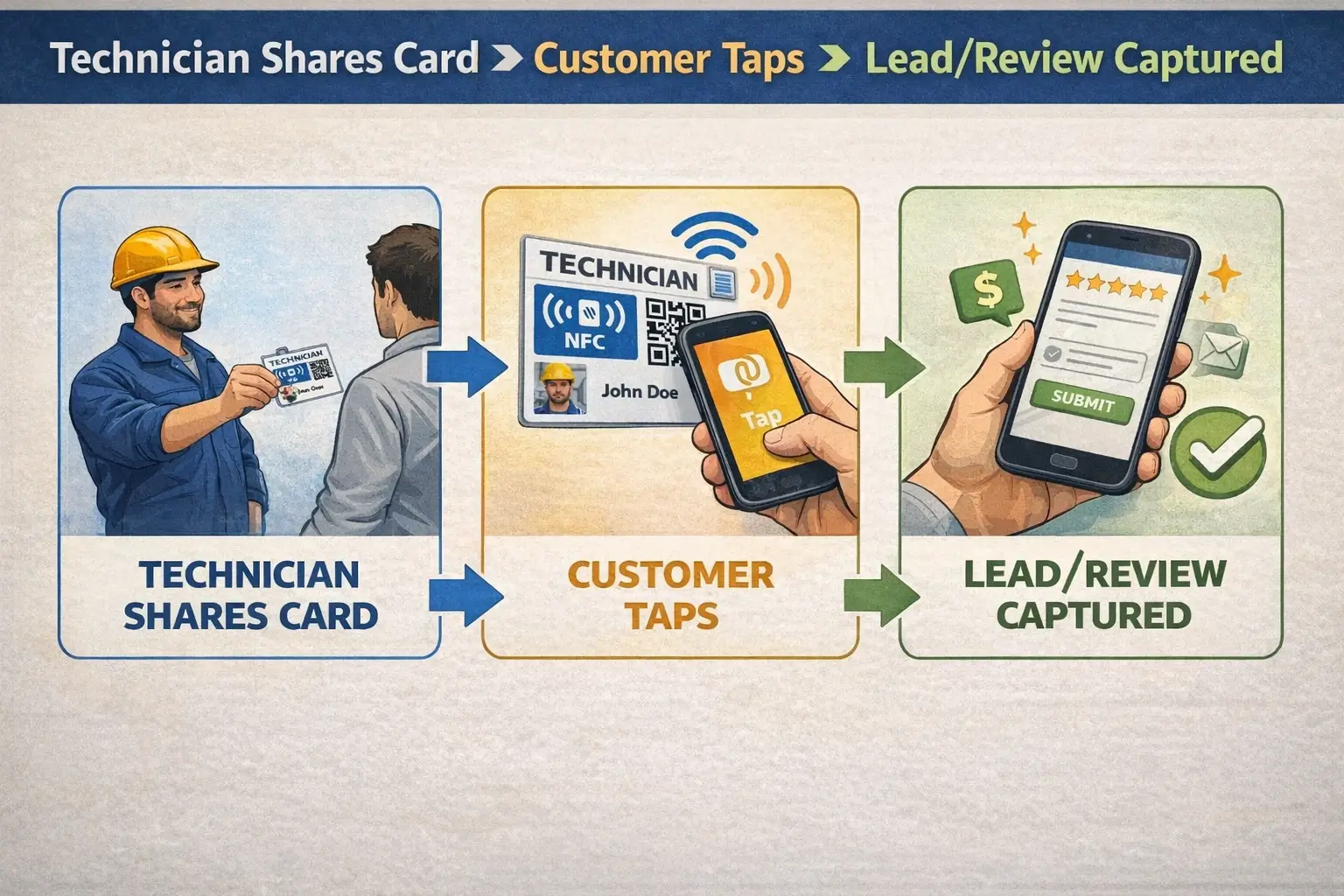
Digital business cards make it easy for a customer to save details immediately, then take the next step (estimate request, booking page, review link, maintenance plan info).
Keep contact details accurate without reprints.
Phone numbers change. Territories shift. Technicians move roles. With digital cards, the company updates the profile once, and every future tap/scan shares the latest details.
What is a digital business card for technicians?
A digital business card is a mobile-friendly profile that contains a technician’s professional identity and action links. The customer opens it in their phone browser (or saves it to contacts/wallet), and the technician shares it in person or remotely.
Most technician-ready setups support:
- NFC (tap a card, badge, key fob, or sticker)
- QR code (scan from a phone screen, sticker, or printed material)
- Link sharing (text, email, invoice, estimate, chatbot, or email signature)
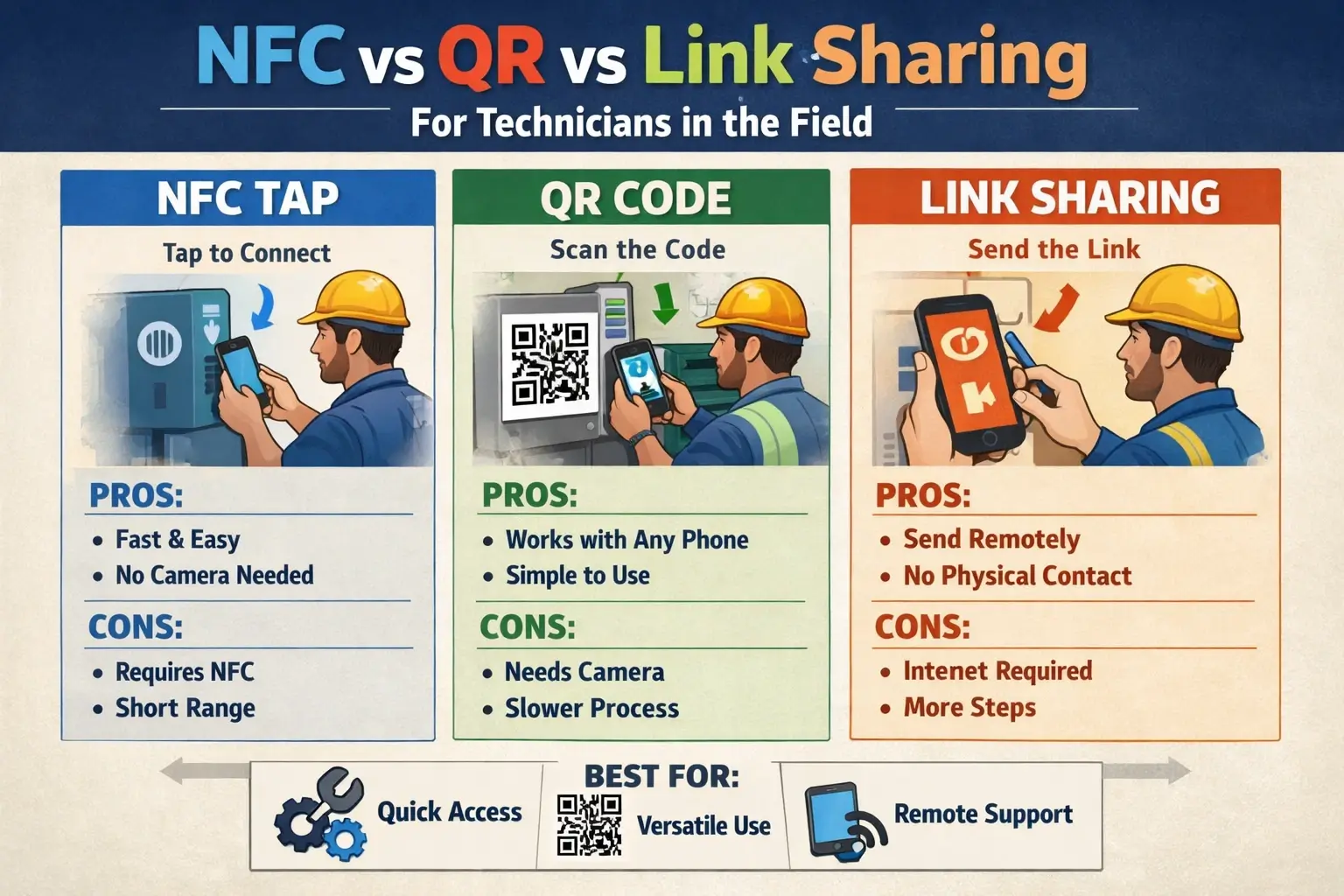
NFC business cards for field technicians vs QR codes
Both NFC and QR are useful. The best choice depends on the reality of your field environment.
NFC is ideal for in-person, high-trust “tap and go.”
Best for:
- Residential service calls (HVAC, plumbing, electrical, pest control)
- Facilities maintenance visits
- Anything where the tech is already face-to-face
Pros:
- Fast and low-friction
- Feels premium and “official.”
- Works well as a badge or card that the tech already carries
Watch-outs:
- Some customers don’t know how to tap
- Some phone cases reduce reliability.
- You still need a QR fallback.
QR is the universal fallback (and often the “offline” hero)
Best for:
- Basements, mechanical rooms, warehouses
- When the customer prefers scanning
- When multiple people need the link (stickers, truck decals, leave-behind cards)
Pros:
- Works on nearly any smartphone camera
- Easy to place on printed leave-behinds, invoices, door hangers
- Great backup when NFC fails
Watch-outs:
- Needs good lighting and a clear print
- Requires customers to open the camera/scan
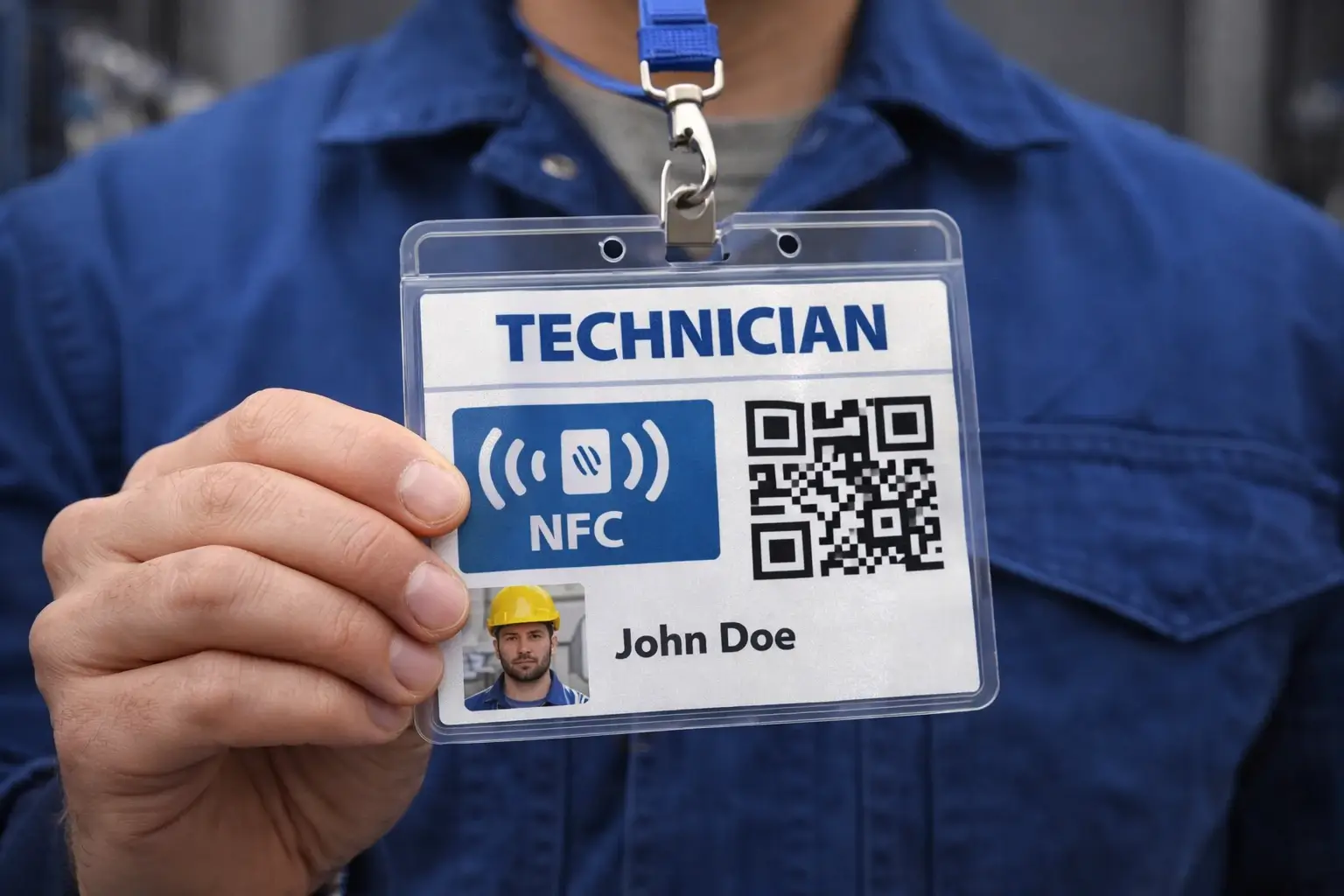
The technician's digital business card checklist
If you want this page to rank for “digital business cards for field technicians,” you must satisfy technician intent. Not generic networking intent.
Required identity fields
- Technician's full name
- Role (e.g., “Service Technician,” “Lead Installer,” “Maintenance Tech”)
- Company name + logo
- Technician headshot (strongly recommended)
- Service area (optional, but useful)
- License number/certification ID (if relevant to your trade and region)
Required contact options
- Dispatch phone number (primary)
- Support email (or service inbox)
- “Call the office” button (for customer confidence)
- Emergency after-hours line (if applicable)
High-performing field-service action links
Pick 3–7 links max (too many reduces use).
Recommended:
- “Book service” or scheduling page
- “Request an estimate.”
- “Pay invoice”
- “Leave a review” (Google / preferred platform)
- “Maintenance plans”
- “Before/after photos” (optional, if part of your customer workflow)
- “Warranty/registration” (especially for HVAC or installs)
Trust and verification boosters
- “Verify my appointment” link (if your FSM or website supports it)
- Company page with staff directory (if available)
- Proof of insurance/safety credentials (only if you can present it cleanly)
How field service managers should deploy digital business cards at scale
The “ranking” version of this topic isn’t just “what is a digital business card.” It’s: how does a field service org roll this out without breaking operations?
Create one technician template, then lock the brand.
Standardize:
- Layout
- Required fields
- Contact buttons
- Approved links
Allow limited personalization (photo and name), but keep the customer experience consistent.
Provision cards like equipment, not like marketing swag
A field technician's identity should be managed like:
- Software access
- Uniform/badge issuance
Build a simple lifecycle:
- New hire created in the admin system
- Card assigned (NFC badge + QR backup)
- Field training: “How to share in under 10 seconds.”
- Offboarding: deactivate or reassign instantly
Handle offboarding and reassignment safely.
When technicians leave:
- Disable the profile link.
- Redirect to the company contact page (so customers aren’t stranded)
- Preserve any captured leads in your CRM
Connect to your CRM and field service stack.
At a minimum, digital business cards should feed the same systems your managers actually use:
- CRM (lead/contact capture)
- Marketing automation (if you run campaigns)
- Field service software (where possible)
- Review the collection workflow
If you can’t do deep FSM integration, do the next-best thing: connect the card to the CRM and use the links to drive customers to your scheduling, payment, or estimate pages.
Offline and low-signal field environments
Field technicians routinely work where service is unreliable. Your rollout should include a low-signal plan:
- Make sure QR is always accessible (saved image on phone, printed on badge, or on a sticker).
- Keep the card “lightweight,” so it loads quickly.
- Avoid heavy video embeds as the primary experience; use optional links instead.
How to measure ROI for digital business cards in field service
Field service managers need measurable outcomes, not vanity metrics.
Track:
- Share rate per technician (how often cards are used)
- Contact saves / lead submissions.
- Review conversions
- Bookings or estimate requests originating from card links
- Payment clicks (if included)
- Upsell approvals initiated (if your workflow supports it)
Start with a 30–60 day pilot (one region or one trade team), then expand.
FAQ
Do customers need an app to receive a digital business card?
No. In most implementations, the customer opens the card in their browser after tapping NFC or scanning a QR code.
Should technicians use NFC cards, badges, or stickers?
Badges work well when your techs already wear an ID. NFC cards feel premium and are easy to replace. Stickers are useful for clipboards, tablets, trucks, or leave-behinds. The best deployments use NFC + QR together.
How many links should a technician's digital business card have?
Aim for 3–7, and prioritize actions that reduce friction: call dispatch, book service, pay invoice, leave a review, request an estimate.
What’s the fastest way to roll out digital business cards across a field team?
Template the experience, choose one hardware format (badge or card), pilot with 10–25 techs, and standardize training: “share in under 10 seconds.”
Call to action for field service managers.
If you manage field technicians and want a rollout that improves trust, boosts reviews, and captures more leads without adding admin burden, run a small pilot:
- Pick one team (10–25 technicians)
- Issue NFC + QR backups
- Standardize the technician card template.
- Track bookings, reviews, and lead capture for 30 days
Then scale the winner across your whole field organization.

Ready to get started? Try Cardikit.